Updated 8 min read
CI/CD with GitHub Actions, step by step
Quality gates, a multi-platform Docker image on GHCR, a Trivy release gate and a deploy by digest — a complete GitHub Actions workflow, explained job by job.

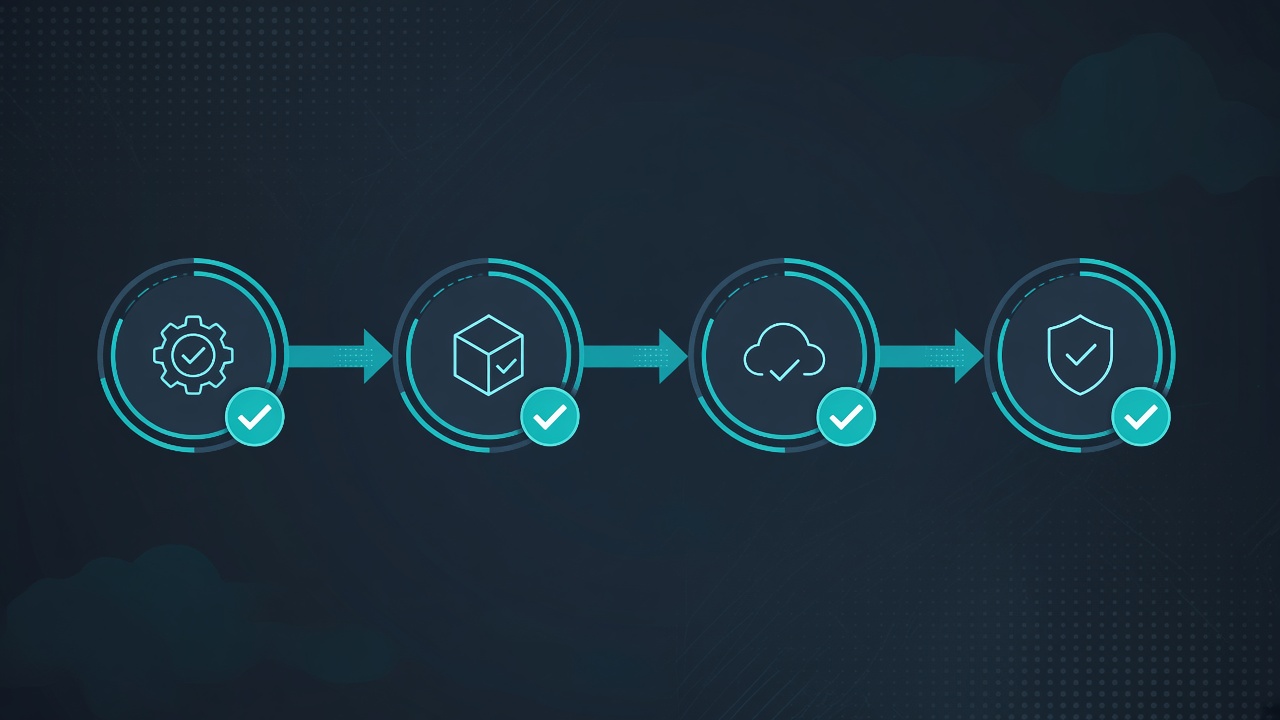
A pipeline is only useful if it can say no. Running tests is easy; building a workflow where a failing test, a vulnerable image or a broken deployment reliably stops the release is the actual work.
This article walks through a complete GitHub Actions workflow for a small Node.js and TypeScript API: four jobs, each with one responsibility, each able to stop everything after it. At work I deploy with Jenkins on VPS servers on one product and with GitHub Actions on Google Cloud on another; the principles below are the ones that carry over between both.
Advertisement
The shape of the pipeline
pull request ──► quality ──► image (build only)
push to main ──► quality ──► image (build + push) ──► scan ──► deploy
tag v1.2.3   ──► quality ──► image (versioned)     ──► scan
Four jobs, connected with needs::
- quality — lint, type-check, tests and a coverage threshold.
- image — a multi-platform Docker image, pushed to GitHub Container Registry (GHCR).
- scan — Trivy scans the exact image that was pushed and blocks the release on serious, fixable vulnerabilities.
- deploy — ships that same image, by digest, to production.
Triggers and default permissions
on:
  pull_request:
    branches: [main]
  push:
    branches: [main]
    tags: ["v*.*.*"]

permissions:
  contents: read

concurrency:
  group: ci-cd-${{ github.ref }}
  cancel-in-progress: ${{ github.event_name == 'pull_request' }}
Two details matter here.
permissions: contents: read at the top makes the GITHUB_TOKEN read-only for every job. A job that needs more asks for it explicitly — the image job asks for packages: write, the scan job for security-events: write. If a step is ever compromised, the token it can steal is as weak as possible.
concurrency cancels superseded runs on pull requests (nobody needs the result for an older commit). On main it never interrupts a run that has already started: a half-finished deployment is worse than a slow one. Note that GitHub keeps at most one pending run per group, so if several commits land while a run is in progress, only the newest one waits and the ones in between are skipped.
Job 1 — quality gates
quality:
  runs-on: ubuntu-24.04
  timeout-minutes: 10
  steps:
    - uses: actions/checkout@<full-commit-sha> # v7
      with:
        persist-credentials: false
    - uses: actions/setup-node@<full-commit-sha> # v7
      with:
        node-version: "24"
        cache: npm
    - run: npm ci
    - run: npm run lint
    - run: npm run typecheck
    - run: npm test # fails below 80 % line coverage
The order goes from cheapest to most expensive: lint catches mistakes in seconds, the type-checker catches a whole class of bugs without running anything, and only then do the tests run.
The coverage threshold doesn’t need a separate tool. Node’s built-in test runner can enforce it:
node --test --experimental-test-coverage --test-coverage-lines=80 \
  --test-coverage-include="build/src/**" --test-coverage-exclude="build/src/server.js" \
  "build/test/**/*.test.js"
The include and exclude filters decide what the 80 % is measured over: here the application code, minus the tiny entry point that only starts the server. Be deliberate about them; excluding too much makes the number meaningless.
Every one of these commands exits with a non-zero code on failure, which fails the step, which fails the job, which stops every job that needs: it. That chain is the whole mechanism. Then make the job a required status check in the branch protection rules for main — otherwise a red check is only a suggestion, and the merge button still works.
npm ci rather than npm install is deliberate: it installs exactly what the lockfile says and fails if package.json and the lockfile disagree.
Job 2 — the image
image:
  needs: quality
  permissions:
    contents: read
    packages: write
  outputs:
    image: ${{ steps.name.outputs.image }}
    digest: ${{ steps.build.outputs.digest }}
  steps:
    - uses: actions/checkout@<full-commit-sha> # v7
      with:
        persist-credentials: false
    - name: Image name (GHCR requires lowercase)
      id: name
      run: echo "image=ghcr.io/${GITHUB_REPOSITORY,,}" >> "$GITHUB_OUTPUT"
    - uses: docker/setup-buildx-action@<full-commit-sha> # v4
    - id: meta
      uses: docker/metadata-action@<full-commit-sha> # v6
      with:
        images: ${{ steps.name.outputs.image }}
        tags: |
          type=sha,format=long
          type=semver,pattern={{version}}
    - if: github.event_name != 'pull_request'
      uses: docker/login-action@<full-commit-sha> # v4
      with:
        registry: ghcr.io
        username: ${{ github.actor }}
        password: ${{ secrets.GITHUB_TOKEN }}
    - id: build
      uses: docker/build-push-action@<full-commit-sha> # v7
      with:
        platforms: linux/amd64,linux/arm64
        push: ${{ github.event_name != 'pull_request' }}
        tags: ${{ steps.meta.outputs.tags }}
        build-args: APP_VERSION=${{ github.sha }}
        cache-from: type=gha
        cache-to: type=gha,mode=max
A few choices worth explaining:
- GHCR with
GITHUB_TOKEN— no registry password to create, rotate or leak. Thepackages: writepermission is all it needs. - Pull requests build but don’t push. You still learn that the Dockerfile builds, without filling the registry with images nobody will deploy.
- One tag per commit (
sha-…) and one per release (1.4.0) — so any image can be traced back to the exact code it was built from. APP_VERSIONis the commit SHA, baked into the image. The application returns it from its health endpoint, which later lets the deploy step check which version is actually answering.- The job outputs the image digest (
sha256:…). That output is what the next two jobs use — not a tag.
Why the digest, not the tag
A tag is a label: :latest, or even :1.4.0, can be moved to point at different content. A digest is a hash of the content itself; if the content changes, the digest changes. Scanning :latest and then deploying :latest a minute later does not guarantee you deployed what you scanned. Scanning image@sha256:… and deploying image@sha256:… does.
It is also why you build once, deploy the same artifact. Rebuilding on the production server produces something no test and no scan ever saw: a different base image, different dependency resolutions, and a compiler toolchain sitting on the production machine.
Multi-platform without emulation
The workflow builds for linux/amd64 and linux/arm64 in one go, so the same reference runs on x86 servers and ARM machines. Building arm64 on an x86 runner usually means emulation through QEMU, which is slow. This Dockerfile avoids it entirely:
FROM --platform=$BUILDPLATFORM node:24-alpine AS build
# … npm ci, compile TypeScript, prune dev dependencies …

FROM node:24-alpine AS runtime
COPY --from=build --chown=node:node /app/dist ./dist
USER node
CMD ["node", "dist/server.js"]
The build stage runs on the runner’s native platform because its output — compiled JavaScript — is the same on every architecture, and the runtime stage only copies files, so no instruction ever runs under emulation. That only holds if the app has no native modules; if it does, add QEMU (docker/setup-qemu-action) or build on native ARM runners.
Job 3 — the release gate
scan:
  needs: image
  if: github.event_name != 'pull_request'
  permissions:
    contents: read
    packages: read
    security-events: write
  env:
    IMAGE_REF: ${{ needs.image.outputs.image }}@${{ needs.image.outputs.digest }}
    TRIVY_USERNAME: ${{ github.actor }}          # pull a private GHCR image
    TRIVY_PASSWORD: ${{ secrets.GITHUB_TOKEN }}
  steps:
    - uses: actions/checkout@<full-commit-sha> # v7 — for .trivyignore
      with:
        persist-credentials: false
    - name: Full report (never fails)
      uses: aquasecurity/trivy-action@<full-commit-sha> # v0.36.0
      with:
        image-ref: ${{ env.IMAGE_REF }}
        format: sarif
        output: trivy.sarif
        exit-code: "0"
    - name: Upload to code scanning
      if: always()
      uses: github/codeql-action/upload-sarif@<full-commit-sha> # v4
      with:
        sarif_file: trivy.sarif
    - name: Gate — fixable HIGH and CRITICAL
      uses: aquasecurity/trivy-action@<full-commit-sha> # v0.36.0
      with:
        image-ref: ${{ env.IMAGE_REF }}
        severity: HIGH,CRITICAL
        ignore-unfixed: true
        exit-code: "1"
        skip-setup-trivy: true   # already installed by the first step
Trivy runs twice on purpose. The first run produces a complete report, uploaded to GitHub’s code scanning (that is what security-events: write is for), and never fails. The second run is the gate: it fails only on HIGH or CRITICAL vulnerabilities that have a fix available.
That split avoids the two classic failures of security scanning. Block on everything, and the team learns to bypass the scanner within a week. Block on nothing, and the report becomes noise nobody reads. A vulnerability with a fix available is something you can act on today — update the base image or the dependency and rebuild. One without a fix needs a judgement call: is the vulnerable code reachable? Exposed? Record the decision, with a reason and a review date, in .trivyignore.
Job 4 — deploy the scanned digest
deploy:
  needs: [image, scan]
  if: github.event_name == 'push' && github.ref == 'refs/heads/main'
  environment:
    name: production
  concurrency:
    group: deploy-production
    cancel-in-progress: false
  steps:
    - name: Configure SSH
      env:
        SSH_KEY: ${{ secrets.DEPLOY_SSH_KEY }}
        KNOWN_HOSTS: ${{ secrets.DEPLOY_KNOWN_HOSTS }}
      run: |
        install -m 700 -d ~/.ssh
        printf '%s\n' "$SSH_KEY" > ~/.ssh/id_ed25519
        chmod 600 ~/.ssh/id_ed25519
        printf '%s\n' "$KNOWN_HOSTS" > ~/.ssh/known_hosts
    - name: Deploy
      env:
        TARGET: ${{ secrets.DEPLOY_USER }}@${{ secrets.DEPLOY_HOST }}
        IMAGE_REF: ${{ needs.image.outputs.image }}@${{ needs.image.outputs.digest }}
      run: ssh "$TARGET" "sudo /opt/orders-api/deploy.sh '$IMAGE_REF'"
The production environment gives deployment-only secrets, a deployment history, and — if you want a human in the loop — required reviewers before the job starts. The job’s own concurrency group guarantees two deployments never run at the same time.
Secrets go through env:, never interpolated straight into a shell command. GitHub masks secret values in logs either way; the point is that ${{ … }} is pasted into the script before the shell runs, so a value containing quotes or $(…) would become shell code. Pinning the server’s host key in known_hosts means the job refuses to talk to a machine impersonating your server. The SSH key itself should be dedicated to deployments and limited, on the server, to running that one script.
What happens on the server — starting the new version beside the old one, waiting for it to be ready, switching traffic and keeping a rollback — is the subject of the next article: blue-green deployments on a single VPS.
Pin every action
Every uses: line above points at a full commit SHA, with the version in a comment. Tags can be moved; a commit SHA cannot. This is not theoretical — the trivy-action compromise of March 2026 rewrote almost every version tag of a widely used action to steal CI secrets. Dependabot can keep pinned SHAs up to date for you.
Checklist
- Read-only
GITHUB_TOKENby default; extra permissions per job. - Lint, types, tests and coverage, required for merging.
- One image per commit, traced by
sha-…tags. - Scan and deploy the digest, never a mutable tag.
- Gate on fixable HIGH/CRITICAL findings; document every exception.
- Deployments serialized, secrets scoped to the production environment.
- Every third-party action pinned to a commit SHA.